
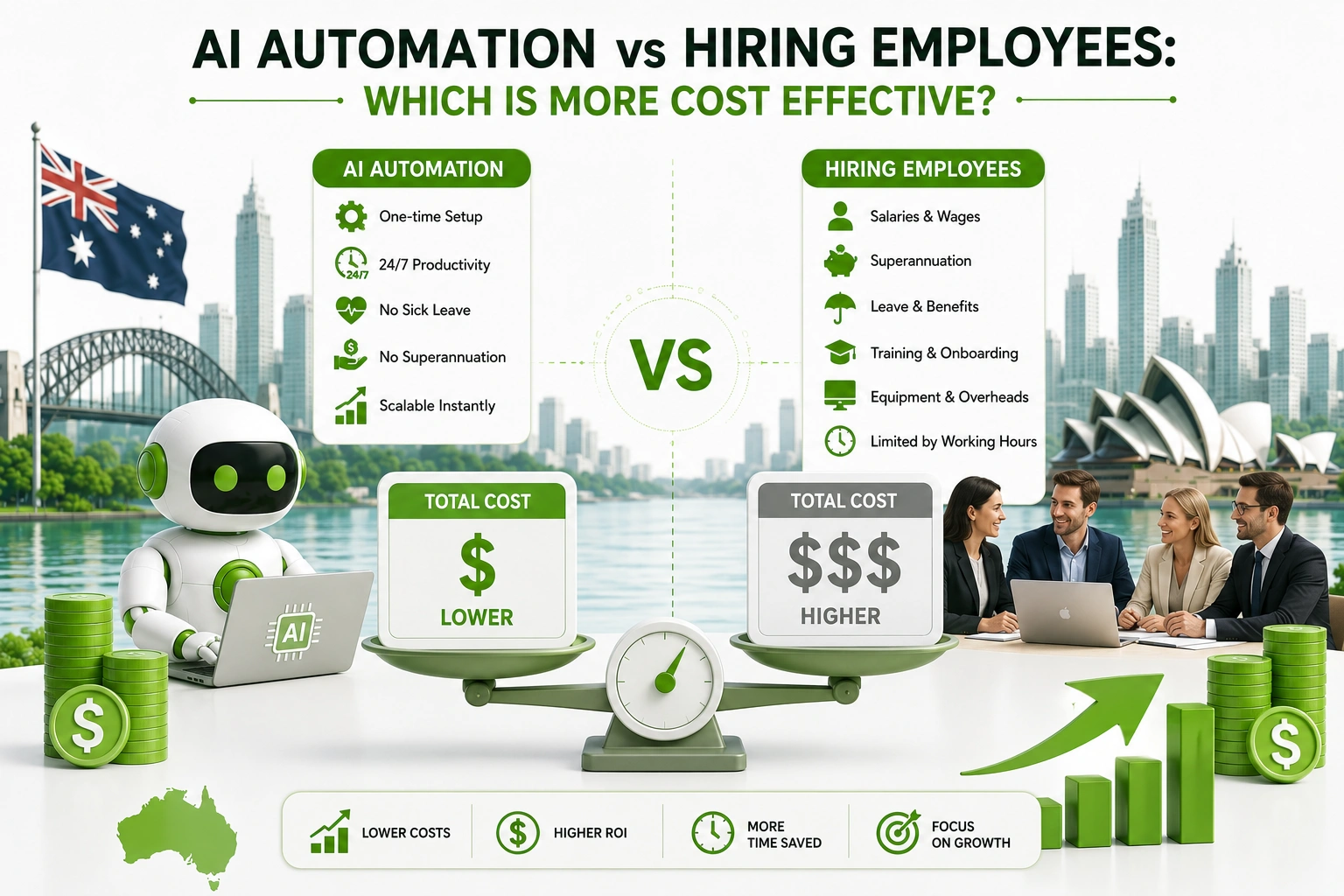
AI Automation vs Hiring Employees: Which Is More Cost-Effective?
Every growing business hits this inflection point: the workload has outpaced the team, and something has to give. The old answer was simple — hire another person. The 2026 answer is less obvious, because AI automation for business has matured to the point where software can genuinely handle tasks that previously needed a person — and at a fraction of the ongoing cost.
But framing this as a straight choice between humans and machines misses the nuance that actually matters. AI automation for business isn’t a wholesale replacement strategy; it’s a selective one. The businesses making the smartest decisions right now aren’t asking “should we automate or hire?” They’re asking “which specific tasks should we automate so that the people we do hire can focus entirely on work that needs a human?”
At Digitechzo, we’ve modelled this cost comparison for dozens of Australian businesses across industries. The numbers are rarely as simple as a tool’s pricing page suggests, and the real answer depends heavily on the type of work involved, the volume, and what your fully loaded cost per employee actually is. This guide lays out an honest, data-driven comparison — the true cost of both options, the scenarios where each wins, and a framework for making the call without regret.
Quick Answer
“AI automation for business typically costs 10–30% of what an equivalent full-time employee costs for high-volume, repetitive work — but automation can’t match a person’s flexibility, judgement, or relationship-building capability. The most cost-effective approach combines both: automate the predictable, repetitive volume so your human hires focus entirely on the work that actually needs them.”
The Real Cost of Hiring an Employee in Australia
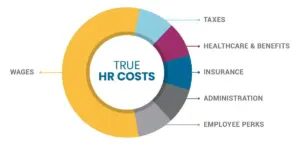
Most business owners significantly underestimate the true cost of a hire because they focus on the salary rather than the fully loaded cost — the number that actually hits the P&L once every statutory obligation, overhead, and support cost is included.
What a Hire Actually Costs Beyond the Salary
- Superannuation — currently 11.5% of ordinary time earnings, legislated to rise to 12% from 1 July 2025 and remaining there.
- Annual and personal leave — four weeks of annual leave plus ten days of personal/carer’s leave under the NES, accrued and either paid out or carried on the balance sheet.
- Workers’ compensation insurance — premium rates vary by industry and state but typically add 1–5% of payroll.
- Payroll tax — applicable in most states once payroll exceeds threshold (varies by state; around $1.2M in NSW as of 2026), adding 4.85–6.85% of wages above the threshold.
- Recruitment cost — agency fees typically run 12–20% of first-year salary for professional roles; even internal hiring carries significant management time cost.
- Onboarding and training — industry estimates place onboarding cost at two to six months of salary-equivalent productivity loss while a new hire reaches full contribution.
- Equipment, software, and workspace — laptop, software licences, desk or remote setup, and tools that scale with headcount.
- Management overhead — every employee requires meaningful management time, typically estimated at 20–30% of a manager’s capacity per direct report.
The Fully Loaded Cost Formula
| Fully loaded cost = base salary + superannuation (11.5%) + leave provisions (~12%) + workers’ comp (~2%) + equipment and software ($5,000–$15,000/yr) + recruitment amortised over tenure + management overhead For a $70,000 base salary, the fully loaded annual cost typically runs $95,000–$110,000 — 35–57% above the headline salary figure. |
The Real Cost of AI Automation for Business
AI automation for business carries its own cost structure, and it’s equally important to look beyond the headline monthly subscription to understand what’s actually involved.
Upfront Investment
- Scoping and configuration — even off-the-shelf tools typically require setup, customisation, and integration work before they’re ready for live business use.
- Custom build cost — for processes that don’t fit a standard template, development costs range from $5,000 for a simple workflow automation to $80,000+ for a complex, multi-system custom build.
- Data preparation — frequently underestimated; getting existing business data into a state where AI can use it reliably is often the most time-consuming phase of any project.
- Training and change management — staff need to understand what’s changed, what the automation handles, and what their role looks like alongside it.
Ongoing Costs
- Software subscription fees — $50–$2,000+ per month depending on platform and usage tier.
- AI model and API usage — usage-based fees that scale with volume; critical to model at your expected conversation or transaction count before committing.
- Maintenance and updates — automations need periodic updates as software, pricing, policies, and processes change; budget 15–20% of build cost annually.
- Monitoring and support — someone needs to review performance and catch failures; whether internal or external, this has a time cost.
Direct Cost Comparison: AI Automation for Business vs a Full-Time Employee
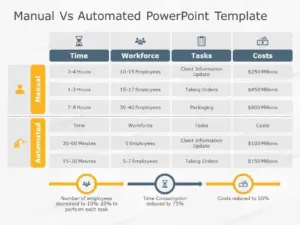
To make this concrete, here’s how the two options compare for three common business scenarios, using conservative Australian market figures.
Scenario A: Customer Support (200 Enquiries/Week)
| Cost Element | Hiring 1 Support Staff (AUD/yr) | AI Automation for Business (AUD/yr) |
| Base cost | $55,000 salary | $4,800 platform subscription |
| Oncosts / usage fees | $22,000 (super, leave, WC) | $3,600 AI API and hosting |
| Setup / recruitment | $8,000 (amortised) | $15,000 (one-off, yr 1 only) |
| Management overhead | $12,000 (est.) | $1,200 (monitoring time) |
| Total Year 1 | $97,000 | $24,600 |
| Total Year 2+ | $97,000/yr ongoing | $9,600/yr ongoing |
Note: The AI automation option assumes 70% of enquiries are resolved autonomously, with the remaining 30% still requiring human attention — but that human time is absorbed within an existing role rather than requiring a dedicated hire.
Scenario B: Invoice Processing and Payment Follow-Up
| Cost Element | Hiring 0.5 FTE Admin (AUD/yr) | AI Automation for Business (AUD/yr) |
| Base cost | $32,500 (0.5 FTE at $65k) | $0 (handled in Xero/MYOB) |
| Oncosts | $13,000 | $2,400 automation and integration |
| Setup / recruitment | $5,000 | $6,000 one-off (yr 1) |
| Total Year 1 | $50,500 | $8,400 |
| Total Year 2+ | $50,500/yr ongoing | $2,400/yr ongoing |
Scenario C: Lead Qualification and Follow-Up
| Cost Element | Hiring 1 Sales Development Rep (AUD/yr) | AI Automation for Business (AUD/yr) |
| Base cost | $65,000 salary | $6,000 platform subscription |
| Oncosts | $26,000 | $4,800 AI usage and CRM integration |
| Setup / recruitment | $10,000 | $12,000 one-off (yr 1) |
| Management overhead | $15,000 | $1,200 |
| Total Year 1 | $116,000 | $24,000 |
| Total Year 2+ | $116,000/yr ongoing | $12,000/yr ongoing |
Across all three scenarios, AI automation for business delivers a substantially lower cost for high-volume, repetitive work — but the comparison changes when the work requires judgement, creativity, or relationship management.
When AI Automation Wins vs When Hiring Wins
| AI Automation for Business Wins When… | Hiring a Person Wins When… |
| ✅ Work is high-volume and repetitive | ⚠ Work requires empathy, negotiation, or relationship care |
| ✅ The process has clear rules and predictable inputs | ⚠ Decisions involve ambiguity, ethics, or novel situations |
| ✅ 24/7 availability is needed without penalty rates | ⚠ The role requires creativity or strategic thinking |
| ✅ Speed of response is a key performance factor | ⚠ Clients specifically expect and value human interaction |
| ✅ The task involves the same 5–10 patterns repeatedly | ⚠ The process changes frequently and unpredictably |
| ✅ You need to scale volume without proportional cost | ⚠ Deep domain expertise is a core part of the value delivered |
| ✅ Errors are recoverable and low-consequence | ⚠ The stakes of errors are high and hard to recover |
The Model That Actually Works: Automation + Strategic Hiring

The most cost-effective operations we’ve seen in Australian businesses don’t choose between automation and people — they use AI automation for business to handle the predictable, high-volume layer, then hire selectively for the judgement-intensive work that automation can’t do well.
This hybrid model typically follows a consistent pattern: automate the top 60–70% of inbound volume that follows repeatable patterns, then staff a smaller, higher-quality human team to handle the complex 30–40% that genuinely needs them. The result is a support or sales function that punches well above its headcount because its people are never buried in routine tasks.
A Real Example: A Sydney Professional Services Firm
A 25-person advisory firm was planning to hire two additional client services staff to manage growing enquiry volume. Instead, they first mapped their enquiry types: 65% were routine questions about pricing, scheduling, and document requirements — ideal targets for AI automation for business. After deploying an AI chatbot and automated intake workflow, those 65% of enquiries resolved without human involvement.
The firm hired one client services person instead of two — saving one full salary plus oncosts annually — and that person dealt exclusively with the complex, relationship-sensitive cases where human judgement genuinely mattered. Client satisfaction scores improved because the person handling complex cases was never distracted by routine admin, and the firm’s cost base grew by one role rather than two.
How to Calculate Which Option Makes More Sense for Your Business
Rather than relying on a generic comparison, run this calculation on your specific situation before making either decision.
- Calculate your current task cost — hours per week on the target task × fully loaded hourly rate of the staff doing it × 52 weeks.
- Estimate automation coverage rate — what percentage of the task volume is genuinely repetitive and rule-driven? This is your expected deflection or automation rate (typically 60–80% for well-suited processes).
- Calculate automation’s annual cost — upfront build cost (amortised over 3 years) + annual subscription + API usage + maintenance (est. 15% of build cost annually).
- Calculate hiring’s annual cost — salary + 35–57% oncosts + recruitment amortised + equipment.
- Compare total cost at Year 1 and Year 3 — automation often looks more expensive in Year 1 due to setup cost; by Year 3 the cumulative saving is usually decisive.
- Factor in non-financial considerations — flexibility, quality ceiling, risk, and whether the role would grow into higher-value work over time.
Factors the Financial Comparison Doesn’t Capture
The Hidden Cost of Turnover
Employee turnover is a recurring, significant cost that automation doesn’t carry. Research on staff replacement costs consistently places the average at 50–200% of an annual salary when recruitment, onboarding, and lost productivity are included. A process automated once and maintained properly carries no equivalent risk.
The Scalability Difference
An automated system handling 500 transactions a month can handle 5,000 without a proportional cost increase. Scaling with people requires proportional hiring, proportional management overhead, and proportional risk of inconsistent quality. For businesses with variable or growing volume, this scalability gap often makes AI automation for business decisively more attractive than its unit cost alone suggests.
The Availability Advantage
AI automation for business operates around the clock without overtime, penalty rates, or the unavailability that comes with sick leave, public holidays, or staff changes. For businesses where after-hours responsiveness directly affects customer conversion or retention, this availability has a real revenue value that doesn’t show up in a direct cost comparison.
What Humans Do With Freed Time
The most underestimated variable in this analysis is what your existing staff do with the hours that automation returns to them. If an employee currently spending 15 hours a week on repetitive tasks gets those hours back, and redirects them toward client retention, upselling, or complex problem-solving, the financial return from that redeployment can exceed the cost of the automation itself. Automation isn’t just cheaper — it unlocks the value your existing team was never reaching.
Common Mistakes Businesses Make in This Decision
- Comparing automation cost to salary, not to fully loaded cost — the comparison changes significantly once oncosts, turnover, recruitment, and management overhead are included.
- Assuming automation means zero ongoing cost — maintenance, API usage, and monitoring costs are real and need to be modelled over multiple years, not just in Year 1.
- Treating it as binary — most situations call for a hybrid model, not a wholesale choice between people and software.
- Automating before understanding the process — the same mistake shows up repeatedly: committing to automation before mapping the actual workflow, then discovering mid-build that the process doesn’t fit the approach.
- Ignoring staff morale and change management — announcing automation without involving the team it affects is one of the fastest ways to create resistance that undermines the project’s success.
Expert Tips for Making the Right Call
- Model the Year 3 cost, not just Year 1 — the setup cost of automation makes Year 1 look less compelling; the recurring savings make Year 3 look very different.
- Start automation before you need to hire — the best time to implement AI automation for business is when you’re approaching capacity, not after you’ve already hired to meet demand you could have automated.
- Involve the team in the automation design — the staff doing the work know the edge cases, the exceptions, and the things that will break a naive automation; their input makes the build more reliable and the adoption smoother.
- Pilot automation on one process before making a broader commitment — a successful first project builds the internal confidence and data to justify the next one.
- Define what the human role looks like post-automation before you launch it — ambiguity about what’s expected of people after a process is automated is the single most common cause of adoption resistance.
Frequently Asked Questions
Is AI automation for business cheaper than hiring employees?
For high-volume, repetitive processes, yes — typically by a significant margin. AI automation for business usually costs 10–30% of the equivalent fully loaded employee cost for tasks like customer support, lead qualification, invoicing, and scheduling, particularly from Year 2 onwards once setup costs are absorbed.
Can AI automation replace employees entirely?
For specific, well-defined tasks, yes. For the full scope of what most employees do, no. Roles involving complex judgement, client relationships, strategic thinking, or creative problem-solving remain firmly human domains. The most effective approach uses automation to absorb repetitive work so that human staff focus entirely on higher-value contributions.
What types of work are best suited to AI automation for business?
High-volume, rule-driven, predictable processes with a clear trigger and outcome: customer enquiry handling, lead follow-up, scheduling, invoicing, data entry, document processing, and reporting. Processes with high variation, emotional stakes, or significant judgement requirements are better suited to people.
How do I know when it’s time to automate instead of hire?
The strongest signal is when the work requiring an additional hire is primarily repetitive, predictable, and high-volume — and when the fully loaded cost of that hire would exceed the two-to-three year cost of automating the same volume. Run the calculation on your specific numbers rather than relying on a generic rule of thumb.
Does automating work mean making people redundant?
In most Australian small and mid-sized business deployments, the outcome is redeployment rather than redundancy. Staff previously handling repetitive tasks shift toward higher-value work that the business couldn’t afford to have them focus on before. Where automation does change headcount needs, it typically happens through natural attrition or by not making a planned hire rather than through active redundancy.
Conclusion: The Question Isn’t Either/Or — It’s Which Work Belongs Where
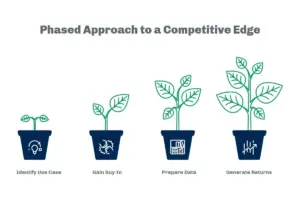
The businesses making the smartest resourcing decisions in 2026 aren’t choosing between people and software. They’re mapping exactly which tasks belong in each category — and that map is what determines how much a business needs to spend to grow, and how much margin it retains at each stage. AI automation for business handles the predictable, repetitive volume far more cost-effectively than a hire can. Skilled people handle the complex, relationship-driven, judgement-intensive work that software still can’t do well. Together, they go further than either does alone.
If your business is approaching a hiring decision and you want to know honestly how much of that workload could be automated before you add to payroll, Digitechzo offers a process audit that maps exactly this split — showing you what to automate, what to hire for, and what the cost comparison looks like over three years for your specific situation. Get in touch to make the call with real numbers, not guesses.
About The Author