AI Integration Services Australia: How to Connect AI with Your Existing Business Systems
Plenty of Australian businesses have already bought the AI tool. The chatbot is live, the analytics platform is configured, the trial period is over — and yet none of it actually talks to the CRM, the accounting software, or the system the operations team has used for a decade. The AI sits in its own bubble, requiring someone to manually copy data in and out, which defeats the entire point of buying it in the first place.
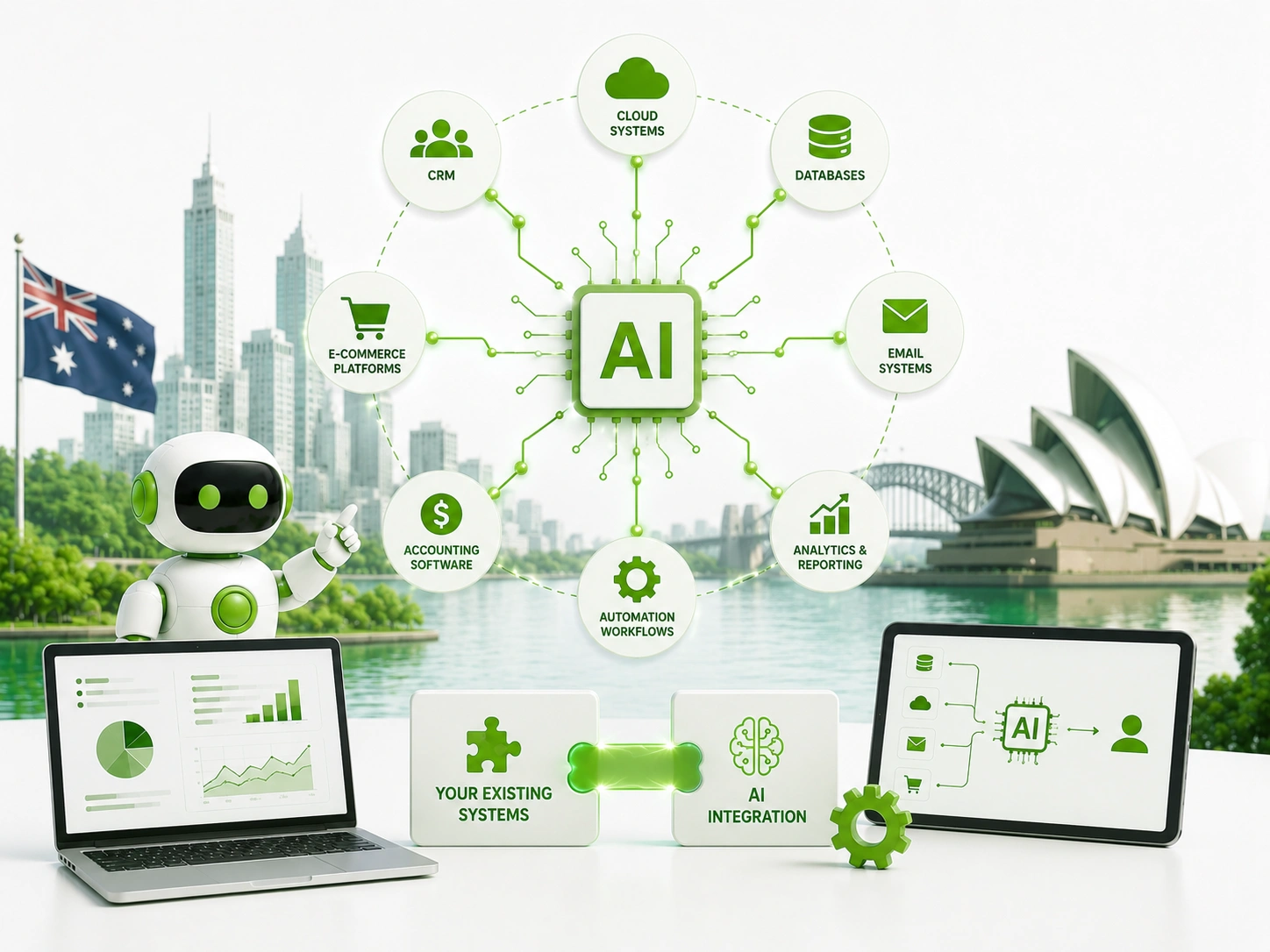
This is the unglamorous but critical problem that AI integration services Australia businesses increasingly search for once they realise that buying AI and integrating AI are two completely different projects. A standalone AI tool, however capable, only creates real value once it can read from and write to the systems your business already depends on — your CRM, your ERP, your booking platform, your finance software.
At Digitechzo, we’ve untangled exactly this problem for Australian businesses — AI tools purchased with good intentions that never delivered because nobody planned the integration layer connecting them to existing systems. This guide covers what AI integration actually involves, the common architectures and methods used to connect systems, what it costs, the legacy system challenges most articles ignore, and a practical framework for getting it right the first time.
Quick Answer
“AI integration services connect AI tools and models to your existing business systems — CRM, ERP, accounting, and proprietary databases — through APIs, middleware platforms, or custom-built connectors, so AI can act on real, current data instead of operating in isolation. Most Australian businesses complete a single-system integration in 4–10 weeks for $8,000–$40,000, with cost driven primarily by how modern or legacy the existing system is, not by the AI component itself.”
What Are AI Integration Services?

AI integration services connect AI tools, models, or platforms with the software a business already uses to run its operations, so the AI can access real, current data and trigger actions within those systems rather than operating as a disconnected add-on. This typically involves building or configuring the connective layer — APIs, middleware, or custom code — that lets two systems that weren’t originally designed to work together exchange information reliably.
Why This Is a Distinct Discipline From AI Development
Building or configuring an AI model is one skill set; reliably connecting that model to a decade-old ERP system with inconsistent data formatting is a different one entirely. Integration work involves data mapping, authentication, error handling, and managing the quirks of legacy software — challenges that have little to do with how good the underlying AI itself is.
Why Standalone AI Tools Fail Without Proper Integration
A chatbot that can’t check real inventory levels gives customers wrong answers. A lead-scoring tool that doesn’t sync with the CRM creates a second source of truth nobody trusts. An AI reporting tool that requires someone to manually export and upload data every week saves no time at all — it just moves the manual work somewhere else.
Industry analysis from Gartner on AI implementation challenges has repeatedly identified integration with existing systems as one of the most common reasons AI projects stall or fail to deliver expected value, more often than limitations in the AI technology itself. The lesson for Australian businesses is straightforward: the AI tool is rarely the hard part anymore — connecting it properly is.
A Realistic Example of Integration Failure
A retail business implemented an AI customer service chatbot that could answer general questions but had no connection to the order management system. Every time a customer asked about their specific order status, the bot had to say it couldn’t help and hand off to a human — which covered roughly a third of all enquiries, undermining most of the time savings the business expected when it bought the tool.
The Three Main Integration Approaches
Most AI integration projects use one of three architectural approaches, each suited to different situations.
1. Direct API Integration
The AI tool and the existing system connect directly through their own APIs (Application Programming Interfaces), exchanging data in real time without an intermediary platform. This is typically the fastest and most reliable approach when both systems have modern, well-documented APIs available.
2. Middleware and iPaaS Platforms
Integration Platform as a Service (iPaaS) tools like Zapier, Make, or Workato sit between systems, handling the connection logic without requiring custom code for every integration. This approach suits businesses connecting several cloud-based tools without deep technical resources in-house.
3. Custom-Built Connectors
For legacy systems without modern APIs, or for highly specific data transformation needs, a custom-built connector translates between the old system’s data format and the AI tool’s requirements. This is more expensive and slower to build but is often the only viable option for older, on-premise systems.
Comparing the Three Approaches
| Approach | Best For | Typical Cost (AUD) | Key Limitation |
| Direct API integration | Modern cloud systems with documented APIs | $5,000 – $25,000 | Requires both systems to have usable APIs |
| Middleware/iPaaS | Connecting multiple cloud tools quickly | $2,000 – $15,000 + subscription | Less suited to complex, high-volume data flows |
| Custom-built connectors | Legacy or on-premise systems without APIs | $15,000 – $60,000+ | Higher cost and longer build time |
The Legacy System Problem: What Most Guides Don’t Tell You
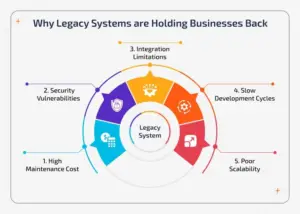
This is the part of AI integration that competitor content consistently underplays. Plenty of Australian businesses — particularly in manufacturing, logistics, healthcare, and government — run core systems that are 10, 15, or even 20+ years old, built before modern API standards existed.
Common Legacy Integration Challenges
- No API available — older systems often only support direct database access or file-based exports, requiring a custom-built bridge rather than a simple API connection.
- Inconsistent or poor-quality data — decades of manual data entry typically mean duplicate records, inconsistent formatting, and missing fields that need cleaning before AI can use the data reliably.
- Limited vendor support — some legacy systems are no longer actively maintained by their original vendor, making documentation hard to find and changes riskier.
- Performance constraints — older systems weren’t built for the volume or frequency of data requests an AI integration might generate, sometimes requiring careful rate-limiting to avoid overloading them.
- Security and access control gaps — legacy systems built before modern security standards may need additional safeguards layered around any new integration point.
How Experienced Integrators Handle Legacy Systems
Rather than attempting a direct connection, experienced integration teams often build a middle layer — a database replica or data warehouse that periodically syncs from the legacy system — so the AI tool interacts with clean, current data without placing direct load or risk on the original system.
What Does AI Integration Cost in Australia?
Pricing depends heavily on the systems involved rather than the AI component, which is often a smaller share of total project cost than businesses expect.
Cost Drivers Beyond the AI Tool Itself
- Number of systems being connected — each additional system adds its own authentication, data mapping, and testing requirements.
- Data volume and frequency — real-time, high-volume data flows require more robust infrastructure than periodic batch syncing.
- Data quality and cleaning needs — messy source data often requires a cleanup phase before integration work can even begin.
- Security and compliance requirements — integrations touching health, financial, or government data typically need additional security review and audit logging.
- Testing and error handling — robust integrations need to handle failures gracefully (a system going offline shouldn’t silently lose data), which adds development time.
The Digitechzo Framework for AI Integration Projects
- System audit — document every system the AI needs to connect to, including its age, available APIs, and known data quality issues.
- Data mapping — define exactly which data fields need to flow between systems and how formats need to be translated or reconciled.
- Architecture decision — choose direct API, middleware, or custom connector based on what the audit revealed, not a default preference.
- Build and test in a sandbox — develop and test the integration against a copy of real data before connecting to live, production systems.
- Staged rollout — launch the integration for a subset of data or users first, monitoring closely before expanding to full production volume.
- Monitoring and error alerting — set up automated alerts for integration failures so issues are caught within minutes, not discovered days later when someone notices missing data.
- Documentation and handover — ensure your internal team understands how the integration works and what to check if something breaks, rather than depending entirely on the original developer.
Industries in Australia With the Most Complex Integration Needs
- Healthcare — connecting AI tools to patient management systems and electronic health records while meeting strict health data handling obligations.
- Manufacturing and logistics — integrating AI forecasting and scheduling tools with legacy ERP and warehouse management systems.
- Financial services — connecting AI risk and fraud detection tools to core banking or trading systems with strict security and audit requirements.
- Government and public sector — integrating AI tools with legacy case management systems often built decades ago, under tight security and procurement constraints.
- Professional services — connecting AI document and matter management tools to practice management software holding years of client history.
In-House Integration vs Hiring an Integration Partner: Pros and Cons
Building Integrations In-House
- Pros: full institutional knowledge of your systems, no external dependency for ongoing changes
- Cons: requires specific integration expertise (API design, data mapping, legacy system experience) most internal IT teams haven’t built up
Hiring an AI Integration Partner
- Pros: brings experience across many different system combinations, faster troubleshooting of common legacy system quirks
- Cons: requires knowledge transfer to avoid total dependency on the partner for future changes
The strongest outcomes typically come from hiring a partner for the initial build while insisting on thorough documentation and internal training, so your team isn’t permanently dependent on an external provider for routine maintenance.
Common Mistakes Businesses Make With AI Integration
- Buying the AI tool before assessing integration feasibility — discovering after purchase that a legacy system can’t support the planned integration wastes both the tool spend and the time invested.
- Underestimating data cleaning work — businesses consistently assume their data is more consistent than it actually is until a proper audit reveals the gaps.
- No error handling or monitoring — an integration that fails silently can cause AI tools to act on stale or incomplete data for weeks before anyone notices.
- Connecting everything at once — attempting a full, all-systems integration in a single project increases risk dramatically compared to a staged, system-by-system rollout.
- Treating integration as a one-time project — source systems change over time (software updates, new fields, vendor changes), and integrations need ongoing monitoring and maintenance to keep working.
Expert Tips for Successful AI Integration
- Audit data quality before choosing a tool — understanding your data’s real state should come before, not after, selecting the AI platform you plan to integrate.
- Build a staging environment — test integrations against a copy of production data, never directly against live systems handling real customers or transactions.
- Set up alerting from day one — automated failure alerts catch problems in minutes rather than days, protecting data integrity and trust in the system.
- Document data mapping decisions — record exactly why specific fields were mapped the way they were; this saves significant time when systems change later.
- Plan for the legacy system’s limits — rate-limit requests to older systems deliberately rather than discovering their breaking point during a live failure.
Frequently Asked Questions
What are AI integration services?
AI integration services connect AI tools and platforms with a business’s existing software — CRM, ERP, accounting, or proprietary systems — through APIs, middleware, or custom-built connectors, allowing the AI to access real, current data and trigger actions within those systems rather than operating in isolation.
How much does AI integration cost in Australia?
Costs typically range from $5,000 for a straightforward API connection between two modern cloud systems to $60,000 or more for custom integration with legacy, on-premise systems lacking modern APIs. Most single-system integration projects for Australian SMEs fall between $8,000 and $40,000.
Can AI be integrated with old or legacy business systems?
Yes, in most cases, though it typically requires a custom-built connector or an intermediate data layer rather than a simple direct API connection. Legacy integration generally costs more and takes longer than connecting modern cloud-based systems, due to the additional data cleaning and bridging work involved.
How long does an AI integration project take?
A straightforward integration between two modern systems with existing APIs typically takes four to eight weeks. Integrations involving legacy systems, multiple data sources, or strict compliance requirements often take twelve to twenty weeks, including thorough testing before going live.
Do I need to replace my existing systems to use AI?
In most cases, no. The majority of AI integration projects work with existing systems as they are, building a connective layer rather than requiring a costly system replacement. Replacement is generally only necessary when a system has no viable way to expose or exchange data at all, even through custom connectors.
Conclusion: Integration Is Where AI Value Actually Gets Realised

The most expensive mistake in AI adoption isn’t buying the wrong tool — it’s buying the right tool and never properly connecting it to the systems that hold your real, current business data. Integration is the unglamorous, often underestimated work that determines whether an AI investment actually changes how your business runs, or just becomes another login nobody uses.
If you’ve invested in AI tools that aren’t delivering the value you expected, or you’re planning a new AI project and want to know upfront what integrating it with your existing systems will actually involve, Digitechzo can map your current systems, flag the integration challenges specific to your setup, and scope what a properly connected solution looks like before you spend further. Get in touch to start with a clear technical picture, not assumptions.
About The Author