
Someone lands on your LinkedIn profile right now. They came from a comment you left, a mutual connection, or a Google search with your name in it. You have about eight seconds before they decide whether to keep reading or hit the back button. Most profiles fail that test — not because the person isn’t credible, but because the profile doesn’t prove it fast enough.
That’s the real purpose of LinkedIn profile optimization: making sure the eight-second version of you is as convincing as the version a client would get after an hour-long call. It’s not about keyword-stuffing your headline or collecting more connections. It’s about structuring every section of your profile so it does actual persuasion work — for recruiters, clients, partners, and anyone Googling your name before a meeting.
This checklist covers every optimizable element of a LinkedIn profile, in the order visitors actually encounter them, along with the specific reasoning behind each recommendation — not just “add a professional photo” advice that every other article repeats.
This guide is from the team at Digitechzo, a personal branding and content agency that optimizes and manages LinkedIn presences for founders and executives. Everything here reflects patterns we’ve seen actually move profile visits, connection rates, and inbound messages — not generic platform tips.
Quick Answer
LinkedIn profile optimization means structuring your photo, banner, headline, About section, experience, and featured content so a stranger understands your value and credibility within seconds — not just filling in every field. Prioritize the headline, banner, and About section first, since those carry the most weight for both search visibility and visitor conversion.
Why LinkedIn Profile Optimization Matters More Than Most People Think
A LinkedIn profile isn’t a digital resume anymore — for most professionals, it’s the first real interaction a potential client, employer, or partner has with them. A few realities worth grounding this in:
- Recruiters and buyers routinely check LinkedIn before or instead of a company website, particularly for service-based businesses where the individual’s credibility matters as much as the company’s.
- LinkedIn profiles frequently rank on the first page of Google for a person’s name, meaning your profile is often doing SEO work for your personal reputation whether you’ve optimized it or not.
- Profiles with a complete, well-structured set of sections (photo, banner, headline, About, featured, experience, recommendations) consistently receive significantly more profile views and connection acceptance than incomplete ones — LinkedIn’s own guidance has long emphasized that complete profiles get considerably more visibility in search and recommendations.
In practice, across the client profiles we’ve optimized, the pattern is consistent: the sections people skip — banner image, featured section, and skills ordering — are usually the ones creating the biggest missed opportunity, because they’re prime visual real estate that most competitors leave blank or generic.
Optimization vs. Completion — Know the Difference
Filling in every field isn’t the same as optimizing. A “complete” profile with a generic headline and a wall-of-text About section is still underperforming. Optimization means each section is written to do a specific persuasive job, not just filled in to satisfy a completeness meter.
The Complete Profile Optimization Checklist
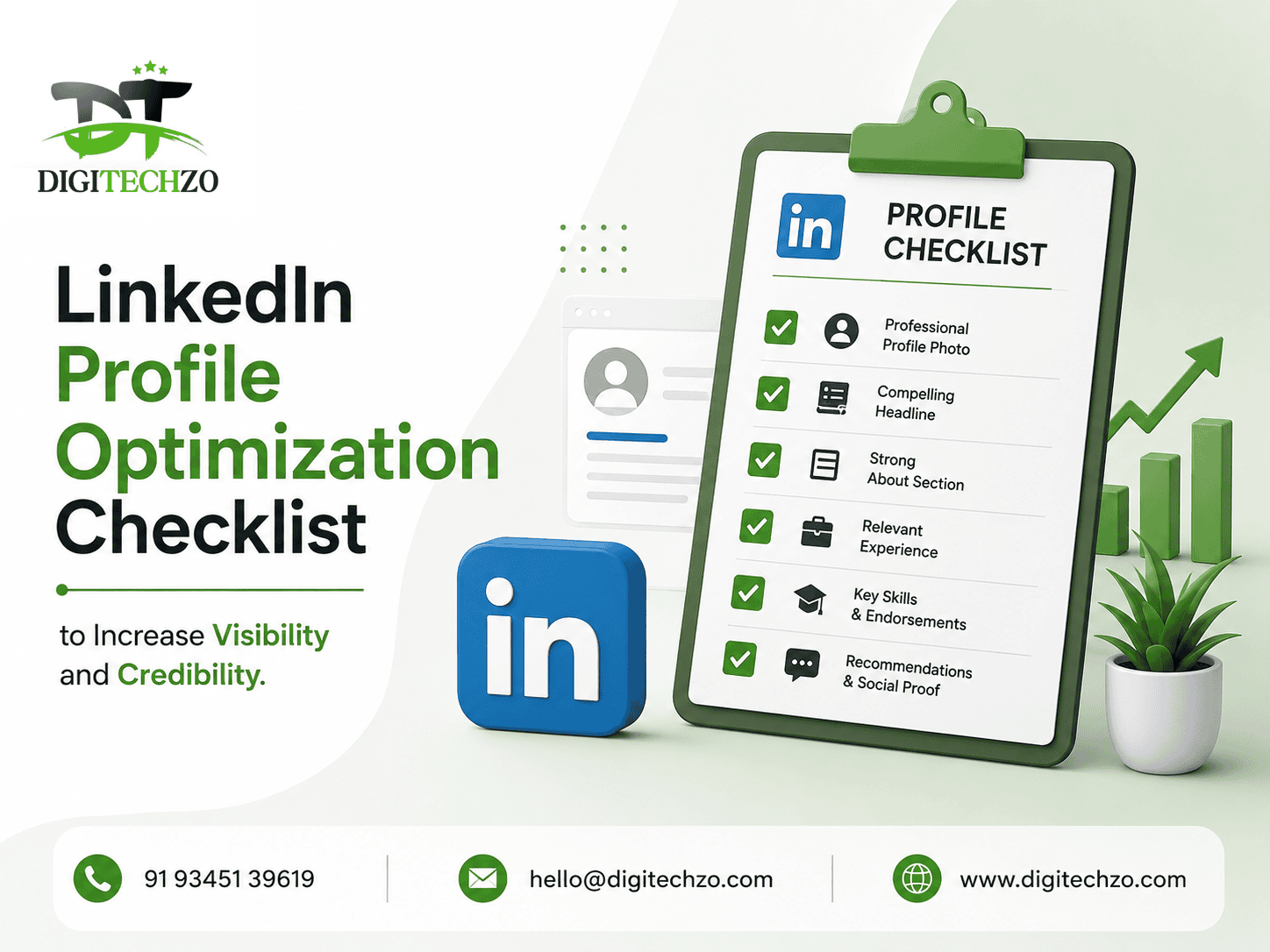
Use this as your working checklist, in priority order:
- Professional, high-resolution profile photo with genuine expression
- Custom banner image reinforcing your positioning
- Headline that states who you help and the outcome, not just your job title
- About section written for the reader, not as a resume summary
- Featured section pinned with your strongest proof (case study, post, or resource)
- Experience section with outcome-focused bullet points, not just responsibilities
- Skills section ordered by relevance and endorsed by relevant connections
- Recommendations that mention specific outcomes, not generic praise
- Custom LinkedIn URL (not the default string of numbers)
- Contact info fully filled in, including a way to reach you beyond LinkedIn
- Creator mode or relevant hashtags/topics enabled if content is a core strategy
- Activity consistency — recent posts or engagement visible, not a dormant feed
Section-by-Section Breakdown
1. Profile Photo
Use a recent, well-lit headshot with a genuine (not overly posed) expression. Data consistently cited by LinkedIn and recruiting research shows profiles with photos receive dramatically more views and connection requests than those without — but photo quality matters almost as much as having one at all. A blurry, outdated, or overly casual photo can undercut credibility as much as no photo does.
2. Banner Image
This is the single most underused space on most profiles. Instead of the default LinkedIn background, use this space to reinforce your positioning — your specialty, a proof point, or even a simple, clean visual with your tagline. It’s the largest visual element on the page, and most competitors leave it blank.
3. Headline
Skip listing just your job title. The headline shows up everywhere — search results, comments, connection requests — so it needs to work hard. Structure it around who you help and what outcome you drive: “Helping [audience] achieve [outcome] through [method]” consistently outperforms a plain title for both clarity and search relevance, since it naturally includes the kind of language people search for.
4. About Section
Write it in second person where possible, opening with the reader’s problem before introducing yourself. A strong structure:
- The problem or situation your audience faces
- Your specific approach or point of view on solving it
- Proof — results, experience, or credibility markers
- A clear next step (how to connect or work with you)
Avoid resume-style paragraphs listing job history — that’s what the Experience section is for.
5. Featured Section
Pin your best case study, a high-performing post, a lead magnet, or a media feature here. This section sits directly below About, at peak visibility, and most profiles either leave it empty or fill it with outdated content.
6. Experience Section
Write bullet points around outcomes, not duties. “Managed social media accounts” tells a visitor nothing useful. “Grew organic LinkedIn engagement 3x for a B2B SaaS client within 6 months” demonstrates actual capability. Where possible, include specific, honest results rather than vague descriptions.
7. Skills and Endorsements
List skills in order of relevance to your current positioning, not everything you’ve ever done. Ask close colleagues or clients to endorse your top 3-5 skills specifically — a handful of relevant, genuine endorsements carry more weight than dozens of unrelated ones.
8. Recommendations
Request recommendations that reference specific outcomes or projects, not generic “great to work with” statements. Two or three detailed, outcome-focused recommendations do more credibility work than a long list of vague ones.
9. Custom URL
Change your default LinkedIn URL (a string of numbers) to your name or a clean variant. This looks more professional on a resume or email signature and helps slightly with how the profile is indexed in search.
10. Creator Mode and Topics
If content is part of your strategy, enabling creator mode (or the equivalent current feature) and adding relevant topic tags helps LinkedIn understand what your content is about, improving how it’s surfaced to relevant audiences.
LinkedIn SEO: How the Platform’s Search Actually Works
LinkedIn’s internal search algorithm weighs several factors most users never optimize for:
- Keyword presence in headline, About, and Experience sections – LinkedIn’s search matches on the language you actually use, so include the specific terms your target audience would search for (industry terms, role titles, specialties)
- All-star or fully complete profile status – complete profiles are generally favored in both search ranking and “People You May Know” style recommendations
- Network relevance and activity – engaging with and being connected to people in your target industry improves how often you surface in relevant searches and suggestions
- Consistency between profile and activity – a profile claiming expertise in a topic with zero related posts or engagement history sends a weaker signal than one backed by visible, consistent activity
Featured Snippet Answer: What Makes a LinkedIn Profile “Optimized”?
An optimized LinkedIn profile clearly communicates who you help and how within the first few seconds, uses relevant keywords naturally across the headline, About, and experience sections, and includes visual and social proof — a strong photo, custom banner, featured content, and specific recommendations — that reinforces credibility beyond just job history.
Profile Optimization by Goal
Different goals call for different emphasis:
| Goal | Priority Sections | Key Focus |
|---|---|---|
| Job searching | Headline, Experience, Skills | Keyword alignment with target job titles, quantified achievements |
| Attracting clients/consulting leads | Headline, About, Featured | Clear positioning, proof of results, direct CTA |
| Building thought leadership | About, Featured, Activity/posts | Consistent point of view, visible content history |
| Networking/partnerships | Headline, Recommendations | Credibility signals, mutual connection relevance |
Pros & Cons of over-optimizing for keywords vs. readability:
| Pros of keyword focus | Cons of over-optimizing |
|---|---|
| Improves discoverability in LinkedIn and Google search | Can read as stiff or robotic if overdone |
| Helps align with recruiter search terms | Sacrifices the persuasive, human tone that converts visitors |
| Useful for competitive, high-search-volume roles | Diminishing returns past a natural keyword density |
Common Mistakes Businesses Make
- Treating the profile as a one-time setup task instead of updating it as positioning, offers, or roles evolve.
- Writing the About section like a resume, listing history instead of speaking directly to the reader’s problem.
- Leaving the banner and featured sections blank, missing the highest-visibility real estate on the page.
- Using a generic headline that’s just a job title, wasting valuable search and first-impression space.
- Collecting connections without relevance, diluting how well the network signals your actual expertise area.
- Ignoring profile activity, leaving a polished profile sitting on top of a dormant, inactive feed — which undercuts the credibility the profile is trying to build.
Expert Tips for Faster Results
- Write your headline last, after the About section. It’s easier to distill a strong positioning line once you’ve already articulated your full value proposition in the About section.
- Update your Featured section every time you publish something strong. Treat it like a rotating highlight reel, not a set-and-forget block.
- Ask for recommendations right after a strong project wraps, while the results are fresh and specific in the client’s mind — this produces far more detailed, credible recommendations than generic requests months later.
- Search your own target keywords on LinkedIn to see who currently ranks and study what language their profiles use — it’s a direct signal of what LinkedIn’s algorithm currently rewards.
- Pair profile optimization with consistent posting. An optimized profile with no recent activity still underperforms a slightly less polished profile that’s visibly active, because activity itself is a credibility signal.
FAQs
What does LinkedIn profile optimization mean?
LinkedIn profile optimization means structuring every section of your profile — photo, banner, headline, About, experience, and featured content — to clearly communicate your expertise and value within seconds, using relevant keywords naturally so you’re also discoverable in both LinkedIn and Google search.
What’s the most important part of a LinkedIn profile to optimize first?
The headline and About section carry the most weight, since they appear in search results and are usually the first things a visitor reads — a clear, outcome-focused headline paired with a reader-focused About section does more conversion work than any other single section.
How often should I update my LinkedIn profile?
Review your profile every few months, or immediately after a shift in role, positioning, or major achievement — an outdated profile with old positioning can actively undercut credibility rather than simply being neutral.
Does LinkedIn profile optimization actually affect search visibility?
Yes — LinkedIn’s internal search weighs keyword relevance in your headline, About, and experience sections, along with profile completeness and network activity, meaning a well-optimized profile is measurably more likely to surface in relevant searches than an incomplete one.
Do I need a professional photographer for my LinkedIn photo?
Not necessarily — a well-lit, high-resolution photo with a genuine expression, even from a smartphone, outperforms a professional but outdated or overly stiff photo. Recency and approachability matter more than production value.
Final Thoughts
LinkedIn profile optimization isn’t about filling in every field — it’s about structuring your profile so it does real persuasion work for whoever lands on it, whether that’s a recruiter, a potential client, or someone Googling your name before a meeting. Start with the headline, About section, and banner, since those carry the most first-impression and search weight, then build outward from there.
If you’d rather have a strategist audit and rewrite your profile for you — positioning, copy, and visual structure included — the team at Digitechzo offers a free LinkedIn profile audit to show you exactly what’s holding your current profile back and how to fix it.
About The Author