
Signs Your Business Needs Workflow Automation
If your team is spending hours on repetitive tasks, chasing approvals through email chains, or losing data between disconnected tools—your business is silently bleeding productivity. These aren’t minor inefficiencies. They’re symptoms of a deeper operational problem that workflow automation solutions are specifically designed to fix.
At DigiTechzo, we work with small businesses, mid-market companies, and enterprises to identify these exact friction points and design automation systems that remove them. In this guide, we’ll walk you through the clearest signs that your business needs workflow automation—and what to do about it.
|
What Is Workflow Automation?
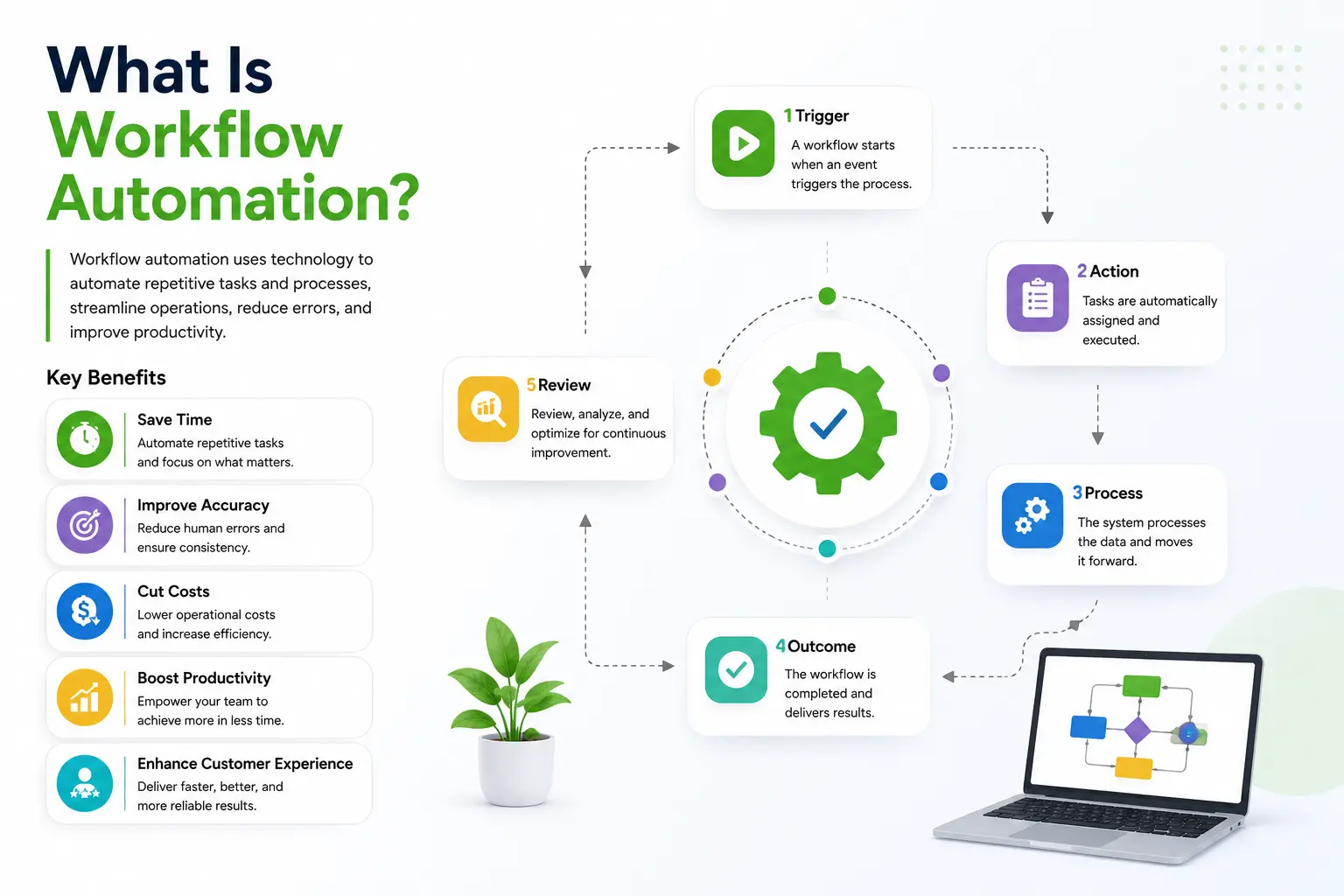
Workflow automation is the use of technology to execute recurring business tasks, processes, or decisions with minimal or zero human intervention. Instead of a team member manually sending a follow-up email, routing a document for approval, or updating a spreadsheet—software handles it automatically based on predefined rules or triggers.
Modern workflow automation solutions go far beyond simple rule-based bots. They integrate with your existing tools (CRM, ERP, HRMS, communication platforms), support conditional logic, and can even leverage AI to make dynamic decisions within a process.
According to McKinsey, roughly 45% of all work activities could be automated using existing technology. Yet most businesses only automate a fraction of that. The gap? They don’t recognize the signs that they need it.
Sign #1: Your Team Is Drowning in Manual, Repetitive Tasks
This is the most visible and costly sign. When talented employees spend the majority of their time on tasks like data entry, copy-pasting information between systems, generating the same report weekly, or sending routine update emails—that’s a direct drain on your business’s growth capacity.
Real-World Example
Consider a mid-sized e-commerce company where the operations team manually updates inventory in three separate systems every time a sale occurs. This takes 4–5 hours a day across the team. With a workflow automation solution that syncs inventory in real time, that time collapses to near zero. The team can now focus on demand forecasting and vendor relationships—actual strategic work.
What to Look For
- Tasks that follow the same steps every time
- Work that involves moving data between two or more systems
- Employees doing the same actions across dozens of records daily
- Tasks where the ‘decision’ is already predefined (e.g., if invoice > $500, route to CFO)
Sign #2: Errors and Missed Deadlines Are Increasing
Humans make mistakes, especially on repetitive tasks. When errors in data entry, missed follow-up emails, or overlooked compliance steps start piling up, the root cause is almost always a manual process operating at scale.
Gartner research shows that poor data quality costs organizations an average of $12.9 million per year. Much of that data quality problem originates from manual input and transfer.
Signs You’re Here
- Customer records have duplicate or inconsistent data
- Compliance or legal documents are frequently missing signatures or steps
- SLA deadlines are missed because no one noticed a ticket was stuck
- You rely on individuals to ‘remember’ to complete process steps
Workflow automation solutions eliminate these gaps by building the process logic into the system itself—no one has to remember, because the software ensures every step happens, every time.
Sign #3: Approvals Take Too Long
Slow approval cycles are one of the biggest silent killers of business velocity. A sales quote that takes five days to get approved internally—when the customer wants an answer in 24 hours—is a lost deal. A vendor invoice that sits in someone’s inbox for two weeks creates late payment penalties.
The Approval Bottleneck Pattern
Manual approval workflows typically look like this: someone sends an email, the approver sees it whenever they check email, the approver may forget or deprioritize it, a follow-up is sent 3 days later, and the cycle restarts if the wrong person approved. It’s a chaotic, untracked mess.
Automated approval workflows instead: trigger an instant notification the moment a request is submitted, enforce SLA timers that escalate to a backup approver if no action is taken within X hours, maintain a full audit trail, and integrate with tools like Slack, Microsoft Teams, or email so approvers can act in one click.
Industries Where This Is Critical
- Finance & procurement (purchase orders, expense approvals)
- HR (leave requests, onboarding checklists)
- Legal (contract reviews and signature routing)
- Sales (discount approvals, proposal sign-offs)
Sign #4: Your Tools Don’t Talk to Each Other
Most businesses run 5 to 15 SaaS tools simultaneously—a CRM, a project management tool, an accounting platform, a marketing automation suite, an HRMS. If these tools operate in silos, your team spends enormous effort manually bridging the gaps.
The Integration Problem
The absence of integration between systems means data has to be re-entered manually, there’s no single source of truth, reports require manually pulling and consolidating data from multiple places, and mistakes happen in translation between platforms.
What Workflow Automation Solutions Do Here
Platforms like Zapier, Make (formerly Integromat), n8n, or enterprise-grade solutions like Workato connect your tools and automate the flow of data between them. A lead that enters your CRM automatically triggers a welcome email from your marketing tool, creates a task in your project management app, and logs the deal in your accounting system—all without human input.
|
Sign #5: You Can’t Scale Without Hiring More People
Growth should not require a proportional increase in headcount for operational tasks. If every time your order volume doubles, you need to double your operations team just to handle the same process—your process is broken.
This is a scaling ceiling that workflow automation solutions are designed to break. The right automation infrastructure allows your business to handle 10x the volume with the same—or even a smaller—team, because the operational work is being handled by the system.
Comparison: Manual vs. Automated Scaling
|
Factor |
Manual Process |
Automated Process |
|
Volume x2 |
Need 2x staff |
Same system handles it |
|
Error Rate |
Increases with volume |
Stays near zero |
|
Speed |
Slows under load |
Consistent throughput |
|
Cost to Scale |
High (salaries, training) |
Low (incremental software cost) |
|
Visibility |
Requires manual reporting |
Real-time dashboards |
Sign #6: There’s No Visibility Into Business Processes
If you can’t answer ‘Where is this request right now?’ or ‘How long does our onboarding process actually take?’ without digging through email threads or asking five people—you have a visibility problem.
Lack of process visibility is both a symptom of manual workflows and a cause of further inefficiency. Without data on how your processes perform, you can’t identify bottlenecks, you can’t set reliable SLAs, and you can’t make evidence-based decisions about where to improve.
What Automation Visibility Looks Like
- A real-time dashboard showing all active workflows and their current status
- Automated alerts when a task is overdue or stuck
- Audit trails that show who did what, when, and why
- Analytics on process cycle times, error rates, and completion rates
DigiTechzo‘s workflow implementation approach always starts with process mapping—understanding the current state, identifying blind spots, and building automation that creates visibility from day one, not as an afterthought.
Sign #7: Customer Experience Is Inconsistent
When processes rely on individuals to remember what to do and when, customer experience becomes wildly inconsistent. One customer gets a welcome call within 24 hours; another waits a week. One client’s invoice arrives on time; another’s is two weeks late.
Inconsistency is a trust killer. Customers and clients expect reliable, predictable experiences—and workflow automation solutions are the most effective way to deliver that at scale.
Customer-Facing Processes That Benefit Most From Automation
- Lead nurturing and follow-up email sequences
- Customer onboarding workflows (welcome emails, account setup steps, kickoff scheduling)
- Support ticket routing and SLA management
- Invoice generation, payment reminders, and renewal notifications
- Customer feedback collection and NPS follow-ups
Common Mistakes When Implementing Workflow Automation Solutions
Automation done wrong can be as damaging as no automation at all. Here are the most common pitfalls businesses fall into:
- Automating broken processes: Automating a flawed workflow just makes you fail faster. Always optimize the process first, then automate it.
- Starting too big: Trying to automate everything at once leads to failed projects. Start with one high-impact, well-understood process.
- Ignoring change management: Teams resist automation when they’re not involved in the decision. Include stakeholders early.
- Choosing tools over strategy: Picking a tool before defining what problem you’re solving leads to expensive mismatches.
- Forgetting maintenance: Automated workflows break when upstream systems change. Build in monitoring and maintenance from the start.
- No measurement baseline: If you don’t measure the before state, you can’t prove the after state is better. Define KPIs before you begin.
Expert Tips for Choosing the Right Workflow Automation Solutions
Tip 1: Map Before You Automate
Document your current process end-to-end before touching any software. Use a simple flowchart to show every step, decision point, and handoff. This reveals inefficiencies you’d otherwise automate accidentally.
Tip 2: Prioritize by Impact x Effort
Use a simple 2×2 matrix: plot processes by how much time/money they waste (impact) vs. how complex they are to automate (effort). Start with high-impact, low-effort workflows—these give you quick wins that build organizational confidence in automation.
Tip 3: Evaluate Integration-First
Your automation platform must integrate natively with your existing tech stack. A powerful tool that doesn’t connect to your CRM or ERP creates new silos instead of removing them. Check integration libraries before committing.
Tip 4: Build for Exceptions
Every automated workflow will eventually encounter an edge case. Design your workflows with exception-handling paths from day one—what happens when the automation can’t proceed? A human should be notified, not left in the dark.
Tip 5: Measure Everything
Define the metrics you want to improve before launch: cycle time, error rate, cost per transaction, customer response time. Review them monthly. Automation that isn’t measured is automation that gets abandoned.
Frequently Asked Questions (FAQs)
Q: What is a workflow automation solution?
A: A workflow automation solution is software that executes business processes—such as routing approvals, sending notifications, updating databases, or triggering actions between tools—automatically based on predefined rules or triggers, reducing or eliminating the need for manual human intervention.
Q: How do I know if my business needs workflow automation?
A: Key signs include: your team spends significant time on repetitive tasks, errors and missed deadlines are increasing, approval cycles are slow, your business tools don’t integrate with each other, you can’t scale without hiring more staff, or customer experience is inconsistent.
Q: What types of workflow automation solutions exist?
A: There are three main types: task automation tools (like Zapier or Make for simple integrations), business process automation (BPA) platforms for complex multi-step workflows (like Kissflow or Nintex), and enterprise-grade solutions (like Pega or Appian) for large-scale, regulated environments.
Q: How much does workflow automation cost?
A: Costs vary significantly. Entry-level tools like Zapier start at $20–50/month for small teams. Mid-market BPA platforms typically range from $500–$2,000/month depending on users and complexity. Enterprise solutions are custom-priced. The ROI calculation should factor in hours saved, error reduction, and scalability gains—most businesses see ROI within 3–6 months.
Q: Which business processes should be automated first?
A: Start with processes that are: high-frequency (done daily or weekly), rule-based (the steps don’t require judgment), error-prone (humans make mistakes often), and time-sensitive (delays have real consequences). Common starting points include invoice processing, employee onboarding, lead follow-up, and IT help desk ticket routing.
Conclusion: The Cost of Waiting Is Higher Than the Cost of Starting
Every day your business runs on manual processes, it’s paying an invisible tax: in wasted time, employee frustration, missed opportunities, and errors that cost real money to fix.
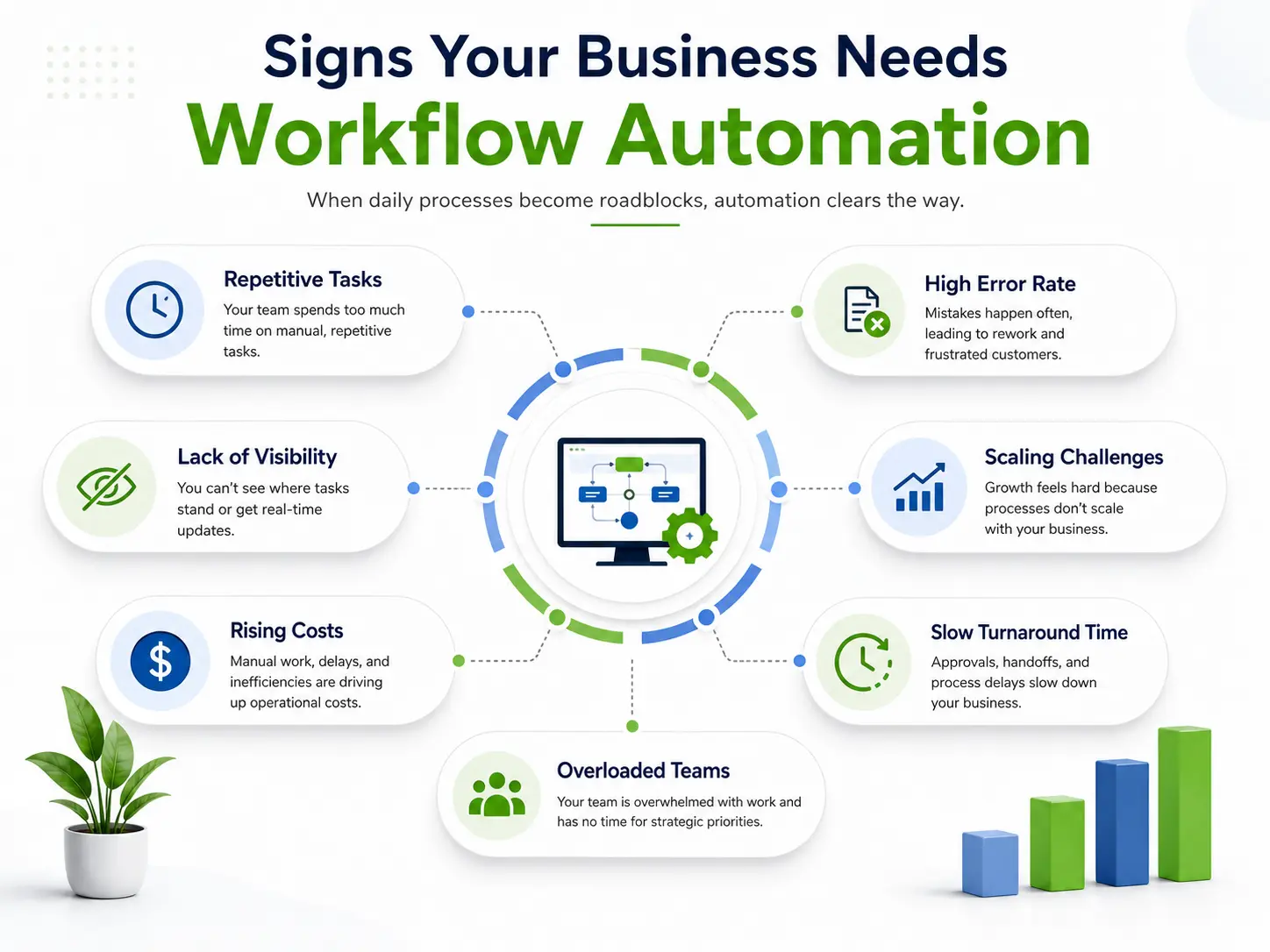
The signs we’ve outlined here—repetitive tasks, growing errors, slow approvals, siloed tools, scaling ceilings, poor visibility, and inconsistent customer experience—are not isolated problems. They’re interconnected symptoms of an operation that has outgrown its current processes.
Workflow automation solutions don’t just fix these symptoms. They transform the underlying operational architecture of your business, making it faster, more accurate, and genuinely scalable.
The question isn’t whether you should automate. It’s which process to start with
About The Author