
AI Appointment Booking System: Reduce No-Shows and Automate Scheduling
A client books a 2pm appointment, never confirms, never cancels, and simply doesn’t turn up. The slot sits empty, the staff member who could have served someone else stands idle, and the revenue that appointment represented is gone for good. Multiply that across a week of bookings and most service businesses are quietly losing thousands of dollars to a problem that has very little to do with effort and almost everything to do with process.
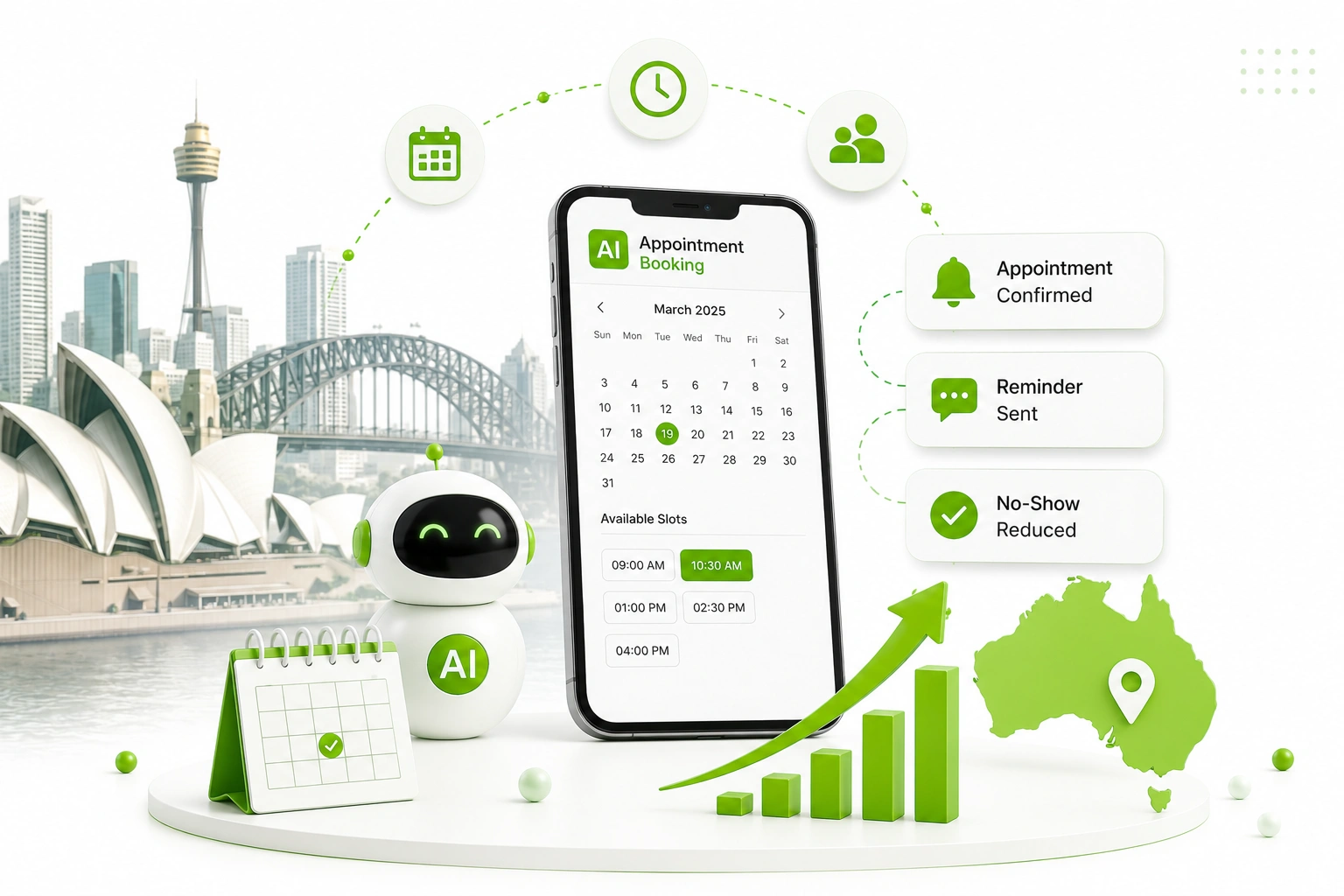
This is exactly the gap an AI appointment booking system is built to close. Rather than relying on a receptionist to manually confirm every booking and chase every no-show after the fact, AI-driven scheduling predicts which appointments are at risk, sends reminders timed to actually get a response, and lets clients reschedule themselves before an empty slot becomes a sunk cost.
At Digitechzo, we’ve helped service businesses across healthcare, beauty, and professional services trace exactly where their bookings were falling through — often a single missing confirmation step costing more revenue than any marketing campaign could recover. This guide breaks down how an AI appointment booking system actually reduces no-shows, what it costs to implement, the compliance details most providers skip, and the framework we use to get scheduling running on autopilot.
Quick Answer
“An AI appointment booking system combines self-service scheduling, smart reminder timing, no-show risk prediction, and automated rebooking to cut missed appointments and remove manual scheduling work. Businesses that implement one properly typically reduce no-show rates by 20–50% and recover staff hours previously spent on phone-based booking and confirmation calls, usually within the first one to two months of going live.”
What Is an AI Appointment Booking System?

An AI appointment booking system is software that uses artificial intelligence to manage the full scheduling lifecycle — not just taking a booking, but predicting which appointments are likely to be missed, timing reminders to maximise response, and automatically filling cancelled slots from a waitlist. It’s a meaningful step beyond a basic online calendar, which simply records a time without doing anything to protect it.
How It Differs From a Standard Online Booking Calendar
A standard booking calendar answers one question: is this time slot free? An AI-driven system goes further, asking whether this specific client, at this specific time, with this specific appointment type, is likely to show up — and adjusting reminder timing, deposit requirements, or overbooking buffers accordingly.
Why No-Shows Cost More Than Most Businesses Realise
No-show rates vary significantly by industry, but research and industry reporting across healthcare, beauty, and personal services consistently point to missed appointment rates somewhere between 10% and 30%, depending on appointment type, lead time, and how reminders are handled. For a business running on tight margins per appointment slot, even a 15% no-show rate represents a substantial, recurring revenue leak — not a one-off inconvenience.
The less obvious cost is staff time. Every no-show that requires a follow-up call to reschedule, every gap that goes unnoticed until a staff member checks the calendar manually, adds friction that an automated system removes entirely.
A Simple Way to Calculate Your Own Exposure
Take your average no-show rate, multiply it by your average revenue per appointment, then multiply that by your weekly appointment volume. A clinic seeing 100 appointments a week at a 15% no-show rate and $120 average revenue per appointment is losing roughly $1,800 a week — close to $94,000 a year — to empty slots alone, before factoring in the staff time spent chasing rebookings.
The Building Blocks: Core Technologies Behind an AI Appointment Booking System

Understanding each layer helps you evaluate whether a provider’s “AI scheduling” claim is substantive or just a basic calendar with a chatbot bolted on.
Self-Service AI Booking
Conversational booking through a chatbot, voice assistant, or smart form that lets clients book, view availability, and select appointment types without calling during business hours — capturing bookings that would otherwise be lost outside opening times.
Smart Reminder Timing
Rather than sending a single generic reminder 24 hours out, AI systems learn the reminder cadence that actually gets a response for different client segments — some respond better to a reminder three days out plus a same-day nudge, others only engage with a single, well-timed message.
No-Show Risk Prediction
Using historical data — past attendance patterns, booking lead time, appointment type, time of day — the system scores each upcoming appointment by likelihood of a no-show, allowing staff to apply targeted interventions like a confirmation call or deposit requirement only where it’s actually needed.
Automated Waitlist and Rebooking
When a cancellation happens, the system automatically offers the freed slot to waitlisted clients instead of leaving it empty until someone notices the gap on the calendar.
Two-Way Conversational Rescheduling
Clients can reply directly to an SMS or message to confirm, cancel, or request a new time, rather than being forced to call back during business hours — removing a major source of friction that turns a soft cancellation into a silent no-show.
Calendar and CRM Integration
Two-way sync with practice management software, CRMs, and staff calendars ensures availability stays accurate everywhere, preventing the double-bookings that damage trust faster than almost any other scheduling error.
Comparing the Core Tools
| Tool | Primary Job | Typical Cost Range (AUD/mo) | Best Starting Point For |
| AI chat/voice booking | Capture bookings 24/7 | $50 – $600 | After-hours enquiry volume |
| Smart reminder engine | Maximise response to reminders | $30 – $400 | High no-show, low-confirmation rates |
| No-show risk scoring | Flag at-risk appointments early | $100 – $1,000 | High-volume clinics and salons |
| Automated waitlist/rebooking | Refill cancelled slots automatically | $30 – $300 | Businesses with frequent late cancellations |
How Much Can This Actually Save? A Realistic Case Scenario
Case Scenario: A Sydney Dental Practice
A multi-chair dental practice in Sydney was experiencing an 18% no-show rate, relying on a single generic SMS reminder sent 24 hours before each appointment. After introducing AI-driven reminder timing (a reminder five days out plus a same-day confirmation request) along with automated waitlist offers for late cancellations, the no-show rate dropped to roughly 9% within two months — a reduction of about half.
With 250 weekly appointments and an average treatment value of $180, halving the no-show rate recovered close to $4,000 a week in previously lost chair time, while front-desk staff spent measurably less time on manual confirmation calls.
Build vs Buy vs Hire a Partner: Pros and Cons
Off-the-Shelf Booking Platforms
- Pros: fast to set up, low upfront cost, often integrates directly with existing practice management software
- Cons: reminder timing and no-show scoring are usually generic, not tuned to your specific client base or appointment types
In-House Build
- Pros: complete control over scheduling logic and integration with bespoke internal systems
- Cons: requires development resourcing most clinics and service businesses don’t have, and is rarely cost-effective at smaller scale
Hiring a Development or Automation Partner
- Pros: combines proper scoping of your actual no-show patterns with technical setup and integration into your existing booking software
- Cons: higher upfront cost than a plug-in tool, though typically recovered quickly given how directly no-show reduction ties to revenue
The Digitechzo Framework for Reducing No-Shows With AI Scheduling

- Measure your current no-show rate by appointment type — different services and time slots almost always show different risk levels, and a single business-wide number hides where the real problem sits.
- Map your current reminder process — identify exactly when and how reminders are sent today, and where confirmations currently fall through.
- Introduce smart reminder timing first — this is usually the fastest, lowest-effort win before adding more complex risk scoring.
- Layer in no-show risk scoring — use historical data to flag genuinely high-risk bookings for extra intervention, rather than treating every appointment identically.
- Automate the waitlist — ensure cancelled slots are offered out within minutes, not whenever a staff member happens to notice the gap.
- Review no-show data monthly — risk patterns shift with seasons, client mix, and appointment types, so revisit the data rather than setting reminders once and leaving them.
Industries Getting the Most Value From AI Appointment Booking
- Healthcare and allied health — GP clinics, physiotherapy, and dental practices recovering chair and consultation time lost to missed appointments.
- Beauty and personal care — salons and clinics with tightly booked schedules where a single no-show creates a hard-to-fill gap.
- Professional services — consultants and advisers reducing wasted preparation time spent ahead of meetings that don’t happen.
- Automotive services — workshops coordinating bay availability and parts ordering around confirmed bookings rather than optimistic estimates.
- Real estate — agents automating property inspection scheduling and confirmation across multiple listings simultaneously.
Compliance Considerations Most Booking Platforms Don’t Explain
Appointment reminders sit in a different category to marketing messages under Australian law, but that doesn’t mean there’s nothing to consider. The Spam Act 2003 distinguishes factual, transactional messages — like appointment confirmations and reminders — from commercial marketing content, generally allowing more flexibility for the former. However, any reminder that includes promotional content (an upsell offer alongside a booking confirmation, for example) can shift it back into requiring full marketing consent.
Health and Personal Information Handling
For healthcare and allied health businesses, booking systems that store appointment types, treatment details, or health-related notes fall under both the Privacy Act 1988 and, in many cases, additional health record-keeping obligations at the state level. Where a booking platform is hosted overseas, it’s worth confirming where that data is actually stored and whether it meets your practice’s data handling policies.
Questions to Resolve Before Launch
- Does the reminder content stay strictly factual, or does it include promotional material that changes its compliance category?
- Where is client booking and contact data stored, and does that align with your industry’s data handling expectations?
- Is there a clear, working way for clients to opt out of non-essential reminder content?
- If health information is captured at booking, does the platform meet relevant state-based health record obligations?
Common Mistakes Businesses Make With AI Appointment Booking Systems
- Sending the same reminder cadence to every client — a one-size reminder schedule ignores the fact that different client segments respond to different timing.
- Treating every appointment as equal risk — without risk scoring, low-risk appointments get the same costly intervention (deposits, confirmation calls) as genuinely high-risk ones.
- Leaving the waitlist manual — a cancellation that isn’t filled within minutes is far less likely to be filled at all.
- Bundling promotional content into reminder messages — this can shift a simple factual reminder into a message requiring full marketing consent under the Spam Act.
- Never reviewing no-show data after launch — the patterns behind missed appointments shift over time, and a system left untouched gradually loses accuracy.
Expert Tips for Reducing No-Shows With AI Scheduling
- Test reminder timing before assuming what works — the right cadence varies by business and client base; don’t copy a competitor’s approach blindly.
- Reserve deposits for genuinely high-risk bookings — requiring a deposit for every appointment can suppress legitimate bookings as much as it deters no-shows.
- Make rescheduling effortless — a client who can reschedule with one tap is far less likely to simply not show up than one who has to call during business hours.
- Track no-show rate by staff member and appointment type — aggregated numbers can hide which specific slots or services need the most attention.
- Close the loop with front-desk staff — the team taking calls often notices patterns the data hasn’t caught yet; build a regular feedback channel between them and whoever manages the system.
Frequently Asked Questions
What is an AI appointment booking system?
An AI appointment booking system is scheduling software that uses artificial intelligence to manage bookings, predict which appointments are at risk of becoming no-shows, time reminders for maximum response, and automatically fill cancelled slots from a waitlist, going well beyond a basic online calendar.
How much does an AI appointment booking system cost?
Costs typically range from around $50 a month for a basic AI-enhanced booking widget to $1,000 or more a month for a full system with no-show prediction, automated waitlisting, and deep integration into practice management software. Most small-to-medium service businesses see a strong return starting in the $100–$500 monthly range.
How much can an AI booking system actually reduce no-shows?
Businesses that implement smart reminder timing and no-show risk scoring properly commonly see reductions of 20–50% in their no-show rate, though the exact figure depends on the starting rate, industry, and how consistently the system is used alongside staff follow-up for high-risk bookings.
Is it legal to send automated appointment reminders in Australia?
Yes. Factual appointment reminders and confirmations are generally treated differently from marketing messages under the Spam Act 2003, but reminders that include promotional content can require the same consent as marketing material, so it’s important to keep reminder content strictly factual unless proper marketing consent has been obtained.
Will an AI booking system replace my reception staff?
In most deployments, no. The system removes repetitive phone-based booking and confirmation work, freeing reception staff to focus on in-person client experience, handling complex scheduling exceptions, and the conversations that genuinely need a person rather than a calendar link.
Conclusion: Every Empty Slot Is a Solvable Problem

No-shows feel like an unavoidable cost of running a service business, but the data behind them tells a different story: most missed appointments follow predictable patterns that an AI appointment booking system is specifically designed to catch and correct. The businesses recovering the most revenue from this aren’t necessarily the busiest ones — they’re the ones that stopped treating every empty slot as bad luck and started treating it as a process to fix.
If missed appointments are quietly costing your business revenue and staff time, Digitechzo can map your current no-show patterns, show you where the biggest gaps sit, and outline exactly what a properly scoped AI scheduling setup would look like before you commit to any platform. Get in touch to start with a clear picture of what you’re losing, and what’s recoverable.